Introduction
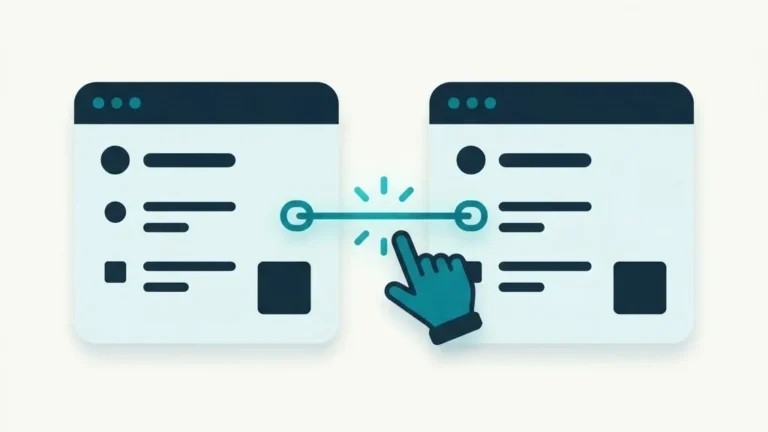
Internal linking is the practice of connecting pages on your website using hyperlinks. While external backlinks from other domains often dominate discussions about search engine rankings, internal links are a fundamental component of site architecture that you control entirely. Every time you link from one page on your domain to another, you create a path for search engine crawlers and human visitors to follow.
Without a deliberate internal linking strategy, valuable pages on your site can become isolated, making them difficult for search engines to discover, evaluate, and index. Effective internal links help search engine bots understand how your content connects logically, distribute page authority across your domain, and guide visitors toward helpful related articles or product pages.
This practical guide explains what internal links are, why they matter for technical search engine optimization and user experience, how to build a sensible site architecture, anchor text best practices, and how to identify and repair broken or orphan pages across your site.
Why Internal Links Matter for Crawlers and Visitors
Search engines use automated web crawlers to discover and index pages across the internet. Crawlers navigate the web by following links. When a search crawler lands on your homepage, it follows internal links to discover your subpages, blog posts, and category listings. If a page has no internal links pointing to it, crawlers may never find it unless it is listed in an XML sitemap.
Beyond content discovery, internal links distribute link authority across your domain. In search engine ranking models, pages that receive links from other established pages on the same site are perceived as more important. By linking strategically from high-traffic pages to core articles, you signal to search engines which content carries the greatest weight and relevance.
For visitors, internal links improve overall site usability. A contextual link placed naturally within a paragraph offers readers additional background, related tutorials, or next steps without cluttering main navigation menus. When visitors click through internal links to explore related content, they spend more time on your domain, view multiple pages per session, and engage more deeply with your business or content.
How to Build a Sensible Site Structure
Building an effective internal link structure requires organizing content into logical hierarchies rather than adding links at random across your site.
Most websites rely on two main types of internal links: structural links and contextual links. Structural links include your main header menu, footer links, and sidebar navigation. These links define the primary framework of your website and ensure essential pages are reachable from anywhere on your domain. Contextual links reside within body paragraphs, connecting specific concepts in one article to related topics in another.
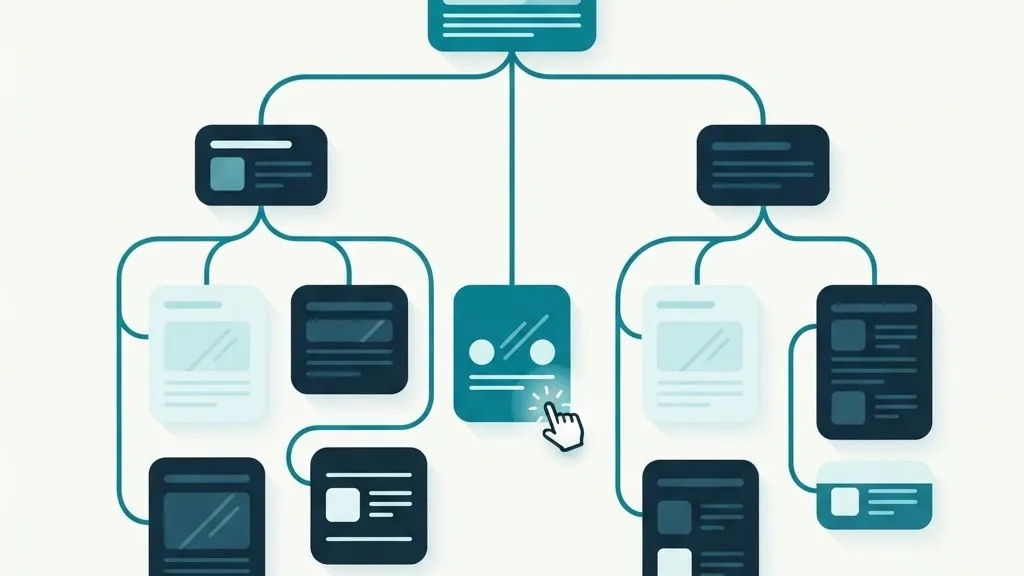
A proven method for organizing contextual internal links is the hub-and-spoke model, also known as pillar and cluster content organization. In this framework, you create a comprehensive pillar page covering a broad subject in detail. You then create supporting subtopic articles that explore specific aspects of that subject. The pillar page links down to each subtopic article, and each subtopic article links back to the central pillar page. This cluster design creates clear topical signals for search crawlers.
Keep your click depth minimal. Click depth refers to the number of clicks required for a user to navigate from the homepage to a target page. Important pages should be reachable within three clicks from the homepage. Deeply buried pages receive less crawl frequency and often struggle to maintain search visibility.
Anchor Text Best Practices That Drive Results
Anchor text is the visible, clickable text contained within a hyperlink. The words you choose for anchor text provide search engines with context about the destination page content.
Avoid non-descriptive anchor phrases such as click here, read more, or learn more. Generic anchors fail to communicate what readers or search engines will find when following the link. Instead, use specific phrases that clearly describe the topic of the target page.
While anchor text should be descriptive, avoid exact-match keyword stuffing. Writing identical anchor text across dozens of internal links can appear unnatural to search engines. Vary your phrasing naturally to fit the surrounding sentence context while maintaining clear relevance to the destination topic.
| Weak Anchor Text | Strong Anchor Text | Why the Improvement Matters |
|---|---|---|
| To check your sitemap, click here. | Use our tool to validate your XML sitemap for errors. | Provides immediate context about the destination tool and its function. |
| Read our guide here. | Review our guide on understanding your on-page audit report. | Tells crawlers and readers exactly what the target guide covers. |
| Check our tools. | Explore our complete suite of free SEO audit workspace tools. | Clarifies that the destination provides interactive diagnostic utilities. |
Ensure anchor text integrates seamlessly into your body text. A contextual link should feel like a helpful recommendation rather than an artificial insertion.
Finding and Fixing Broken and Orphan Pages
As websites evolve, internal linking structures often deteriorate. Pages are deleted or renamed, leaving behind broken links, while new content is published without proper links from existing pages.
An orphan page is a published page on your website that receives no internal links from any other page on your domain. Because crawlers navigate via links, orphan pages are isolated from main site architecture. Search engines may take a long time to index orphan pages, and visitors will rarely find them. Fix orphan pages by adding contextual links from related articles or including them in main navigation categories.
Broken internal links occur when a link points to a URL that returns a 404 error code. Broken links frustrate visitors and waste search crawler budget by forcing bots to hit dead ends. Regularly audit your website to identify broken links across your body copy, header menus, and footer navigation.
To audit your internal link health, run a systematic check of your site pages. Check whether your sitemap lists active URLs by using our XML sitemap validator. Next, analyze your full page structure by studying your audit findings; read our guide on reading your on-page audit to learn how to catch internal linking errors and broken redirects. Finally, test your domain in our free audit workspace to identify dead link targets and missing navigation paths.
Frequently Asked Questions
What is the difference between an internal link and an external link?
An internal link points to another page on the same domain, such as linking from your homepage to your contact page. An external link points to a page on a completely different website. Both serve distinct roles in site navigation and search engine evaluation.
How many internal links should I place on a single page?
There is no fixed limit for internal links. Focus on adding links where they genuinely help the reader understand a concept or find related information. Avoid over-linking body copy, as excessive links degrade readability and dilute link authority.
Do internal links help search engines index new pages faster?
Yes. When you publish a new page and immediately link to it from an established, frequently crawled page on your site, search engine bots follow that link and discover the new content much faster than relying on passive sitemap discovery alone.
Should internal links open in a new browser tab?
Generally, internal links should open in the same tab so visitors can navigate your site naturally using standard browser back buttons. Reserve opening links in a new tab for external references or downloadable documents.
What makes a good internal link?
A good internal link sits in the body text of a relevant page, uses descriptive anchor text that tells the reader what to expect, and points to a live published page. It should be a normal clickable link, not buried in a script.
Should I ever use nofollow on internal links?
Almost never. Nofollow tells search engines not to follow or count the link, which is the opposite of what you want inside your own site. Keep internal links crawlable so search engines can discover and rank your pages.
How are internal links different from menu and footer links?
Menu and footer links appear on every page and help navigation, but they are template-wide. Contextual links inside your content send a stronger relevance signal because they sit next to related text and can point to deeper pages.
Can internal linking fix an orphan page?
Yes. An orphan page is a published page with no internal links pointing to it, so it is hard to find and crawl. Adding one or more contextual links from relevant published pages is the standard fix.
Key Takeaways
- Internal links connect your pages, creating clear navigation paths for human visitors and search engine crawlers.
- Structure content using structural navigation menus and contextual hub-and-spoke pillar models.
- Use descriptive, natural anchor text instead of generic phrases like click here or exact-match keyword repetitions.
- Keep click depth low so important pages remain within three clicks of your homepage.
- Regularly audit your site to identify and fix orphan pages and broken internal links.